Implementing AI integration for notes and work
First pass
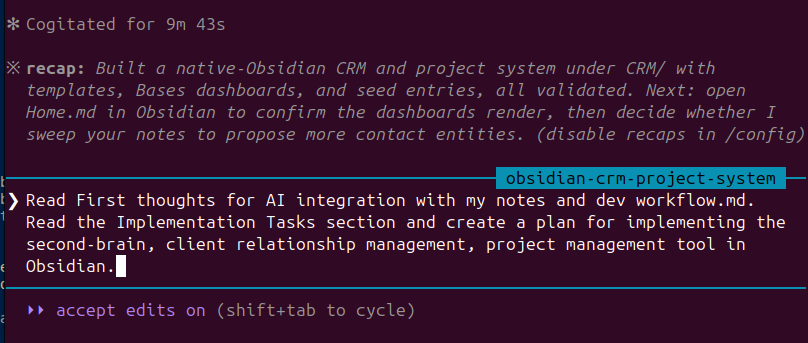
I basically fed the earlier post on “First thoughts for AI integration with my notes and dev workflow” to Claude running in terminal, with this vault as the working directory. It asked a few questions, clarifying the folder structure and the scope of the work, since I outlined distinct steps in the implementation in the earlier post.
I prompted Claude to read the post, analyze the context of the vault, and create a new folder within the vault for the CRM. From there, it created templates, subfolder structure, and created the Bases view. It then took the existing notes to fill some examples into the templates. The CRM is set up pretty well, without many changes necessary compared to what I was envisioning.
The project management side does need some tweaks. Currently, it’s a simple task list on one page. Many of my projects get pretty complicated, so I don’t think a simple to-do list would cut it. I would like the interactions to be referenced within the projects as well.
Refining people and project tracking
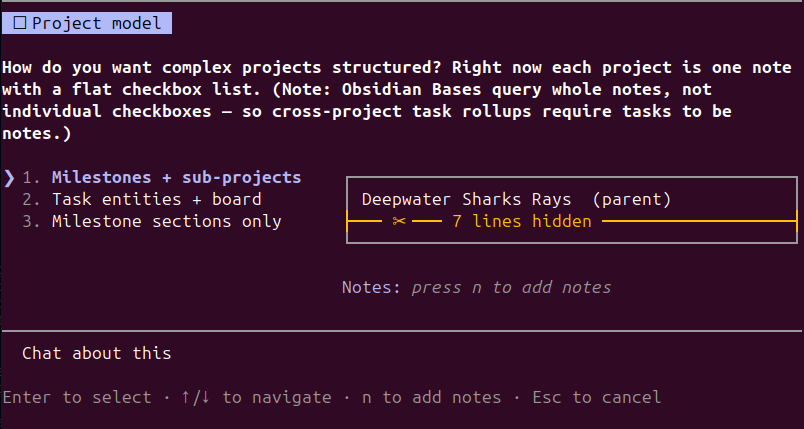
It took quite a bit more of back and forth to refine what I wanted from the CRM, particularly with how I wanted the projects to be structured. This makes sense, since I didn’t define the requirements and the behaviour specifically in the original post. This sort of back and forth development and implementation would have taken forever before, but working with Claude makes it much easier.
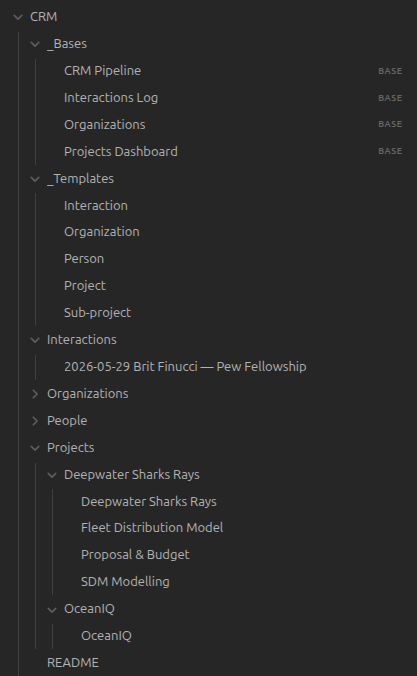
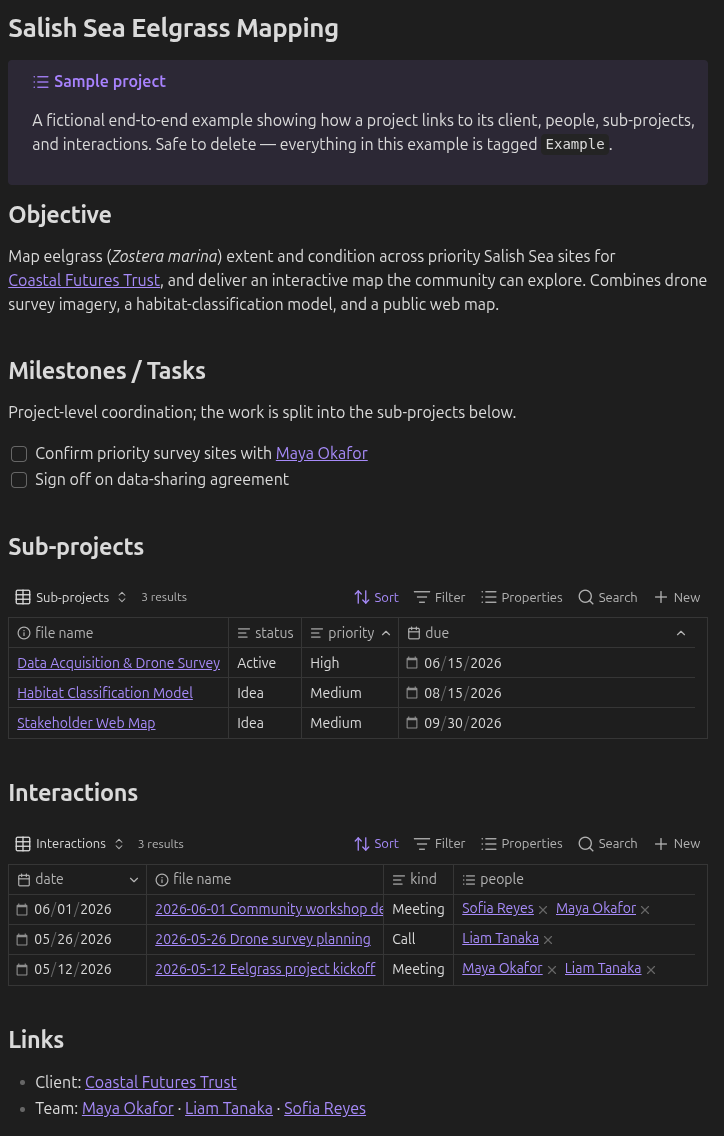
I eventually got to something I was happy with, where there is a two-tiered project structure with an overarching project level and a subproject level. I intentionally constrained it to only two levels, for simplicity of use and since it maps well to GitHub Pull Requests. I can associate each subproject, if it’s a software development task, to the PR. This setup also means that non-dev tasks, like writing project proposals, can also fit alongside the PR tasks. This is a limitation with trying to do the entire project management in GitHub, as it’s too focused on the programming tasks.
Implementing task management, including GitHub issues and PRs
Similarly to the previous phase, it took some going back and forth with Claude to create the outcome that I wanted. I wanted to have a central task list and Obsidian Base view to be able to see all of my tasks across all projects. Now each project and subproject page has a Task view, with a table with all tasks. Making new tasks is relatively easy as well. The tasks also have the option to be linked to the source, being the Interaction (ex. meeting with collaborators) that brought about the task in the first place. Using the gh command line, Claude was able to create a Python script that automates the creation of GitHub issues from the task entities in the Obsidian Vault. The script also updates the task to done when the GitHub issue is closed.
Claude helped a lot with writing the correct filters for each Base view, since this would have been very tedious to do manually. Updating old entities to reflect new changes in the template or organization structure was really helpful too. For example, when I created the new Tasks entity, I was able to implement the Tasks view (Base view with all Task entities for a project) for all projects that already existed. I could prompt AI to convert the to-do lists that existed for each project into the tasks. Claude seems to do well with these conversions from one structure to another defined structure.
Working with Claude, there are definitely blind spots to the AI that require a human in the loop to verify. For example, adding new Tasks through the Tasks view in a Project page didn’t initially automatically apply the Project property to the task, and so was filtered out from the view. Prompting Claude with the issue though, it was able to find some forum threads describing the bug and the fix for it, addressing it for my setup so that adding a Task led to the expected behaviour of creating a new task with the Project property from the page.
Concluding Thoughts
With all of that, I am pretty happy with how this has come together. Claude has definitely helped a lot with improving the experience and smoothing out the learning curve with using Obsidian. While the syntax behind Base filters, setting up frontmatter, and writing basic Python scripts for automating tasks, aren’t rocket science, it really frees up mental space to not have to think about it when I’m trying to build something to help me think clearly and keep track of my life. I don’t want to be programming when I’m working in Obsidian. I’m glad that I can if I wanted to extend the functionality. With using AI like Claude, it feels like I can get the best of both worlds. Plain English prompts describing what I want, and Claude asks good questions to clarify further when necessary. On the other hand, since I am running Claude from terminal, I can completely ignore that it’s there and focus on my own thinking when I’d like. Compared to using something like Notion or GSuite, I can keep my low stimulus writing environment without constant upselling of features and AI integrations that I don’t want or need.
What I’ve ended up with isn’t really a traditional CRM optimized for sales pipelines, and more so a personal relationship and project management system. I’ve decided to call it Atlas for now, as my guide and map to the people and projects in my life.
I’ll try working with this setup for a while and update with further thoughts later on. In the meantime, here is the Obsidian Vault example that I was able to create across the last two posts for you to check out yourself. It may be rough still, but the great thing is that you can modify it however you’d like easily with Claude or dive into the nitty gritty to tweak it manually.
Atlas: Personal Relationship and Project Management System - Example Obsidian Vault